Order #105500 Men's T-shirtsDR 204260 · Step 4 of 7
Receipts pile up.Every delivery arrives on paper and gets typed or copied by hand.
Records are handwritten.Who sewed what, on which day, lives in notebooks.
Progress takes time to check.Seeing where an order stands means walking the floor.
Every garment still gets counted.Hundreds of pieces per batch, counted by eye at the end.
Follow one order through the shop.
Order #105 is 500 men's T-shirts. Scroll to move it across the board, one stage at a time.
Order #105Receipt scanned
1 of 5
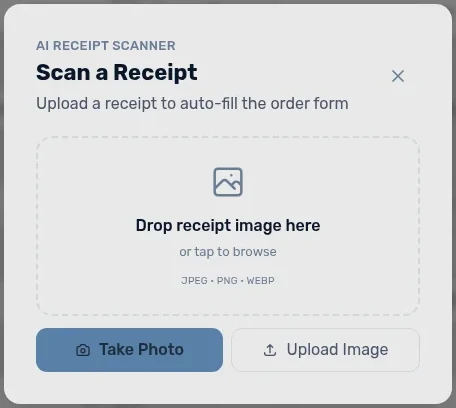
A receipt becomes an order.
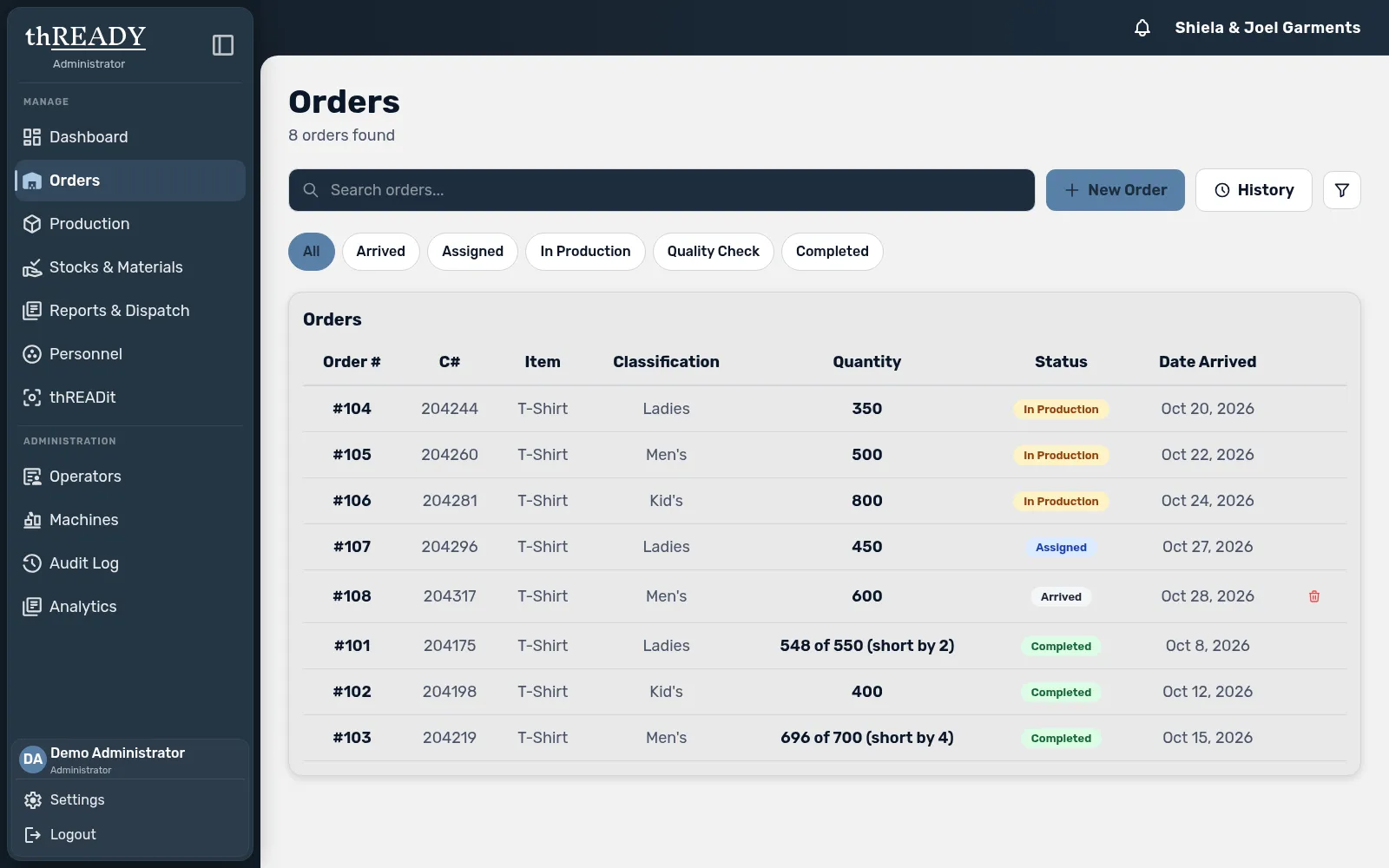
Take a photo of the supplier's delivery receipt. AI-assisted scanning suggests the order details, and the administrator checks them before saving.
Scan or upload a photo
Fields suggested, admin confirms
Order history and filters
2 of 5
Seven operations, one connected plan.
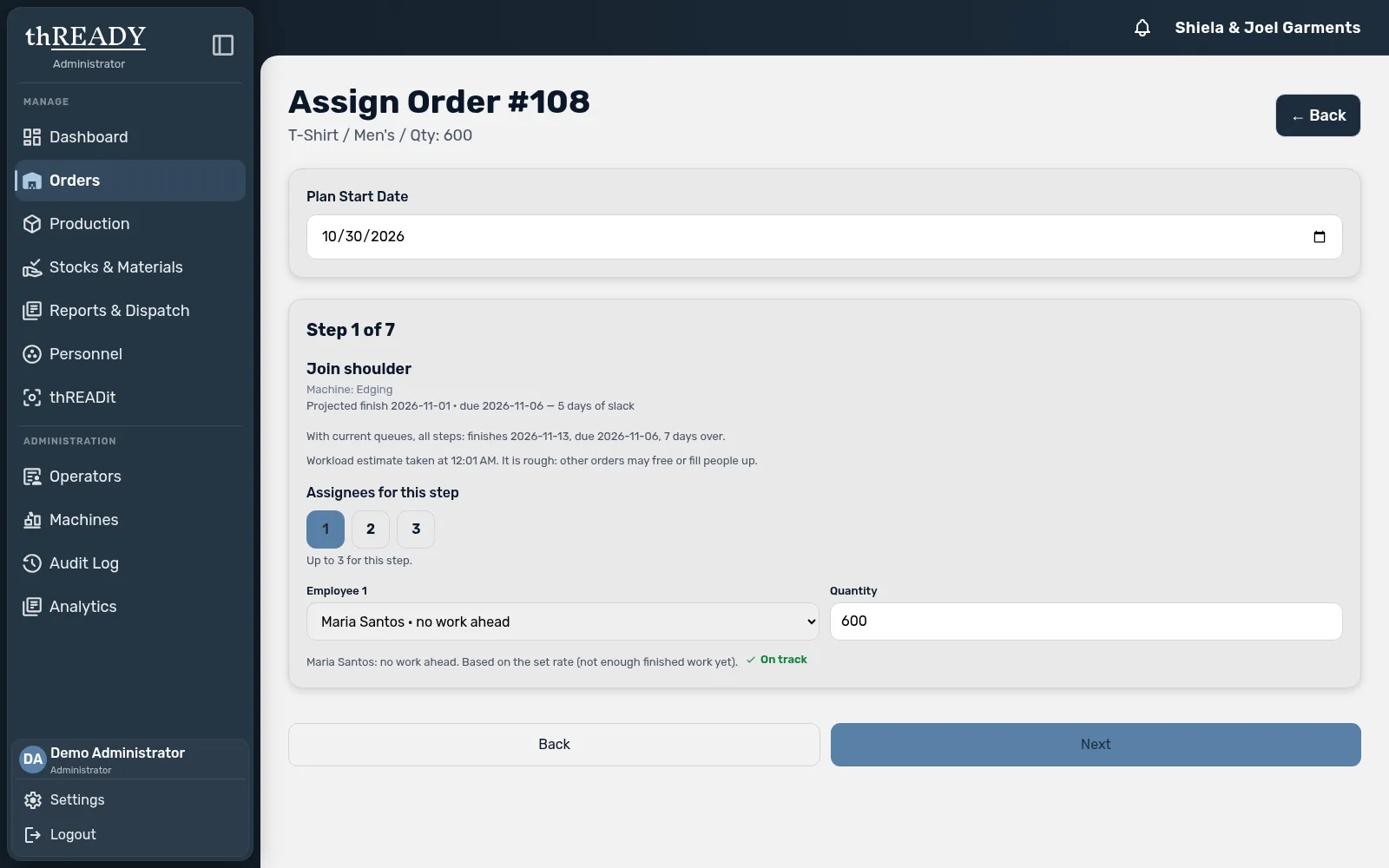
Each order is split into its sewing operations. The administrator picks a start date and assigns operators and machines to every step, with each person's current workload in view.
Join shoulder
Attach collar
Collar tapping
Attach bias
Attach sleeve
Hemming
Attach patches
3 of 5
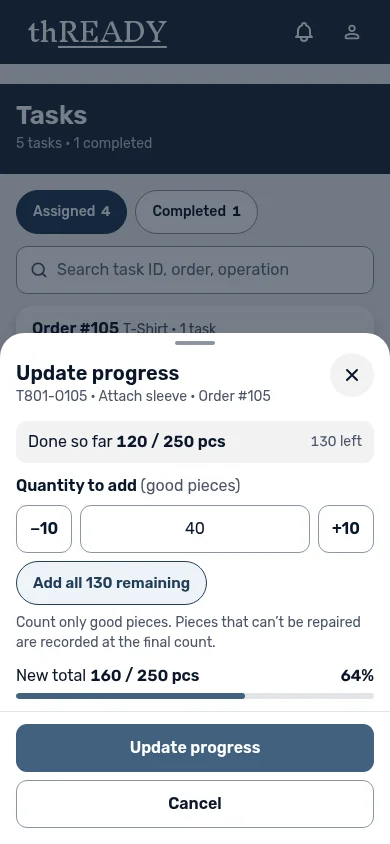
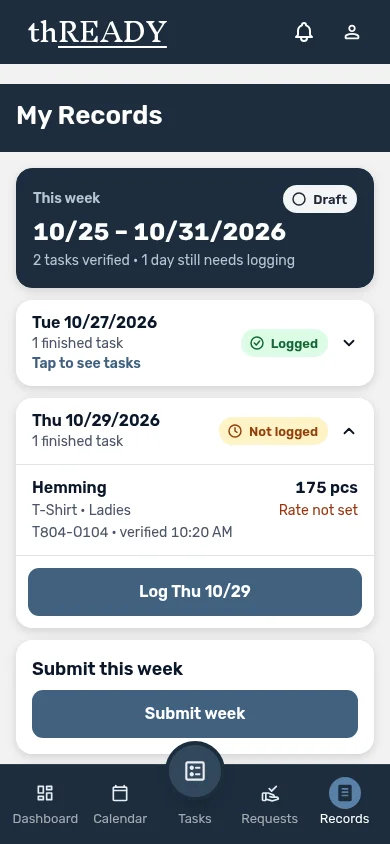
Sewers log good pieces from their phones.
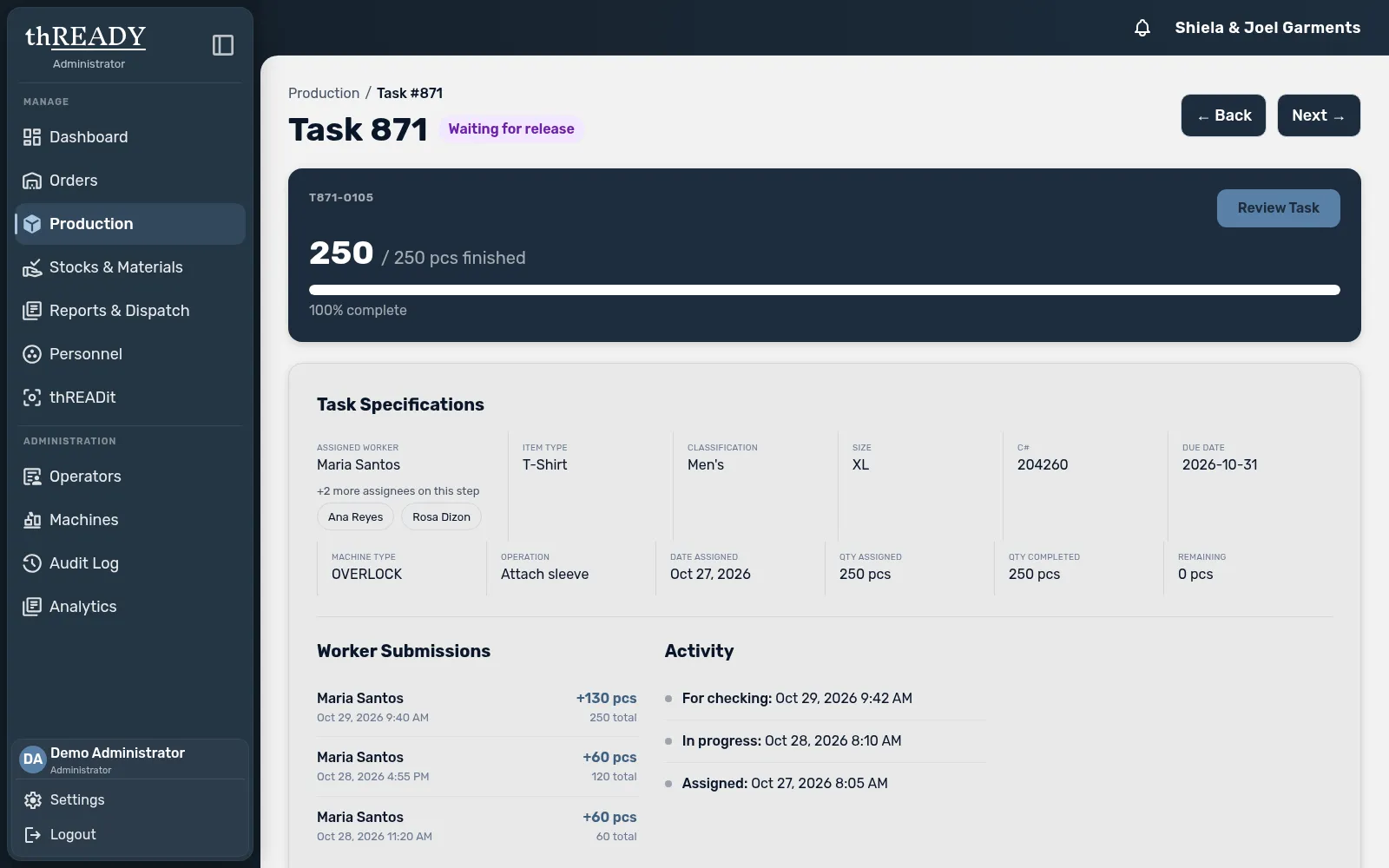
Each employee sees their own tasks and adds finished pieces as they go. The administrator checks the finished work before the next operation is released.
Large, readable controls
Weekly records to submit
Admin check between operations
4 of 5
thREADit counts each shirt laid.
A webcam above the counting table recognises shirts, hands and the pile, right in the browser. Each shirt laid adds one to the batch. The administrator reviews the count, records any unrepairable pieces and validates.
346/ 500 counted+1
Counts arrivals, not objectsA shirt counts only once the zone has been still for half a second.
Never loses a stackEach count is saved on the computer first, then sent, so a dropped connection keeps it.
A person decidesThe admin validates every batch and can correct it with −1 / +1.
In a developer replay of recorded footage from one counting table, thREADit counted 224 of 224 lays. Preliminary, not a field trial.
5 of 5
Ready to go, with the paperwork done.
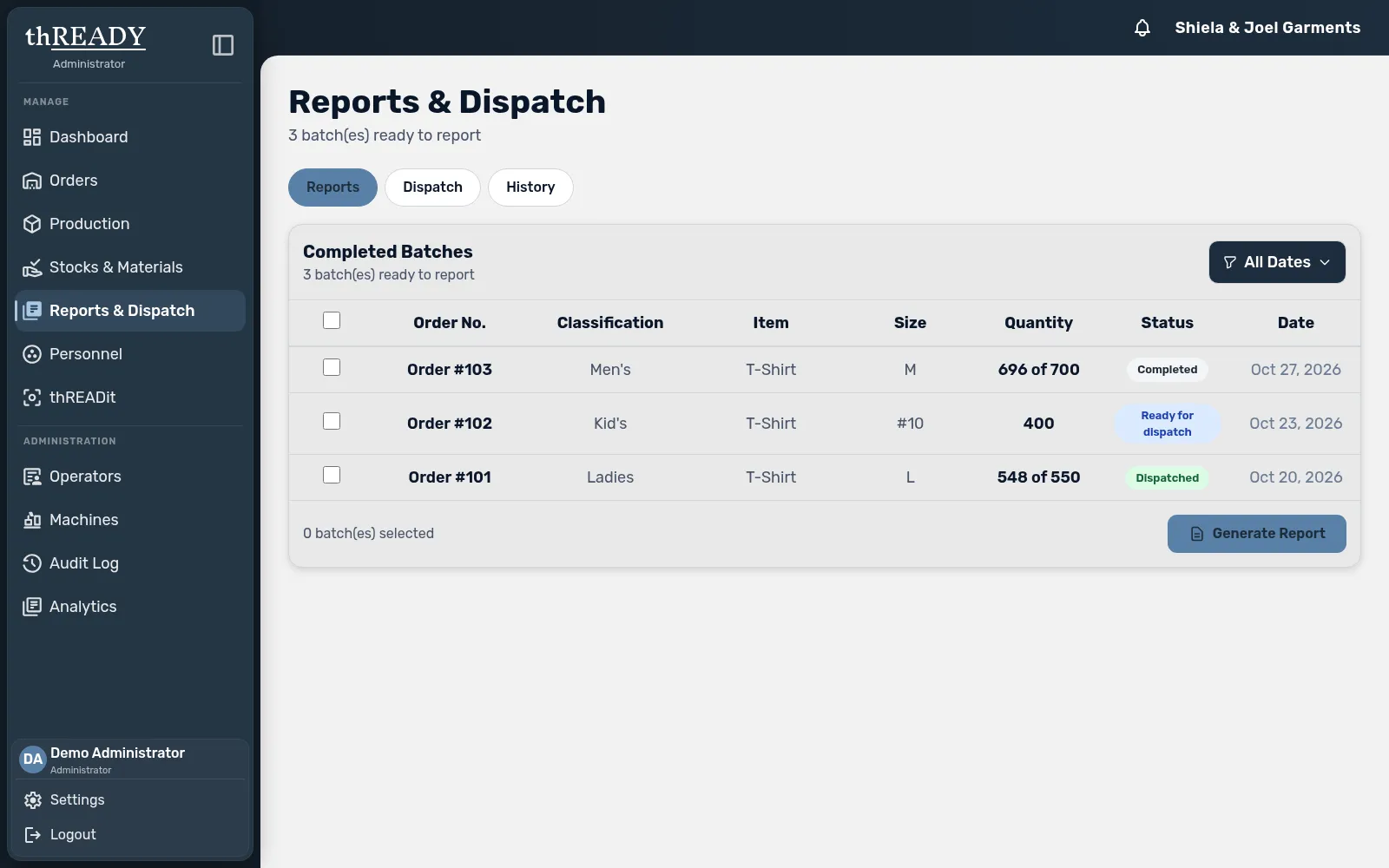
Validated batches move to Reports & Dispatch. The dispatch list and the completed-orders report are generated as PDFs from the same records.
Dispatch list PDF
Completed-orders report
Dispatch history
One system, three places in the shop.
Everyone works from the same records, on the screen that suits their job.
The officeDesktop
Orders, plans, assignments, checking, stock, dispatch and analytics for the administrator.
The sewing floorPhone
Tasks, progress updates, a calendar, material requests and weekly records for each employee. Login uses a one-time code sent by SMS.
The counting tableLaptop + webcam
thREADit runs as a PIN-locked counting station that keeps the screen awake while it works.
Also in thREADY.
The parts of running a shop that sit around the sewing itself.
Stocks & materials
Stock levels with a critical level set per material.
Material requests
Employees request materials from their phones; the admin reviews them.
Analytics
Bottlenecks, lead time, on-time delivery and quality from real batches.
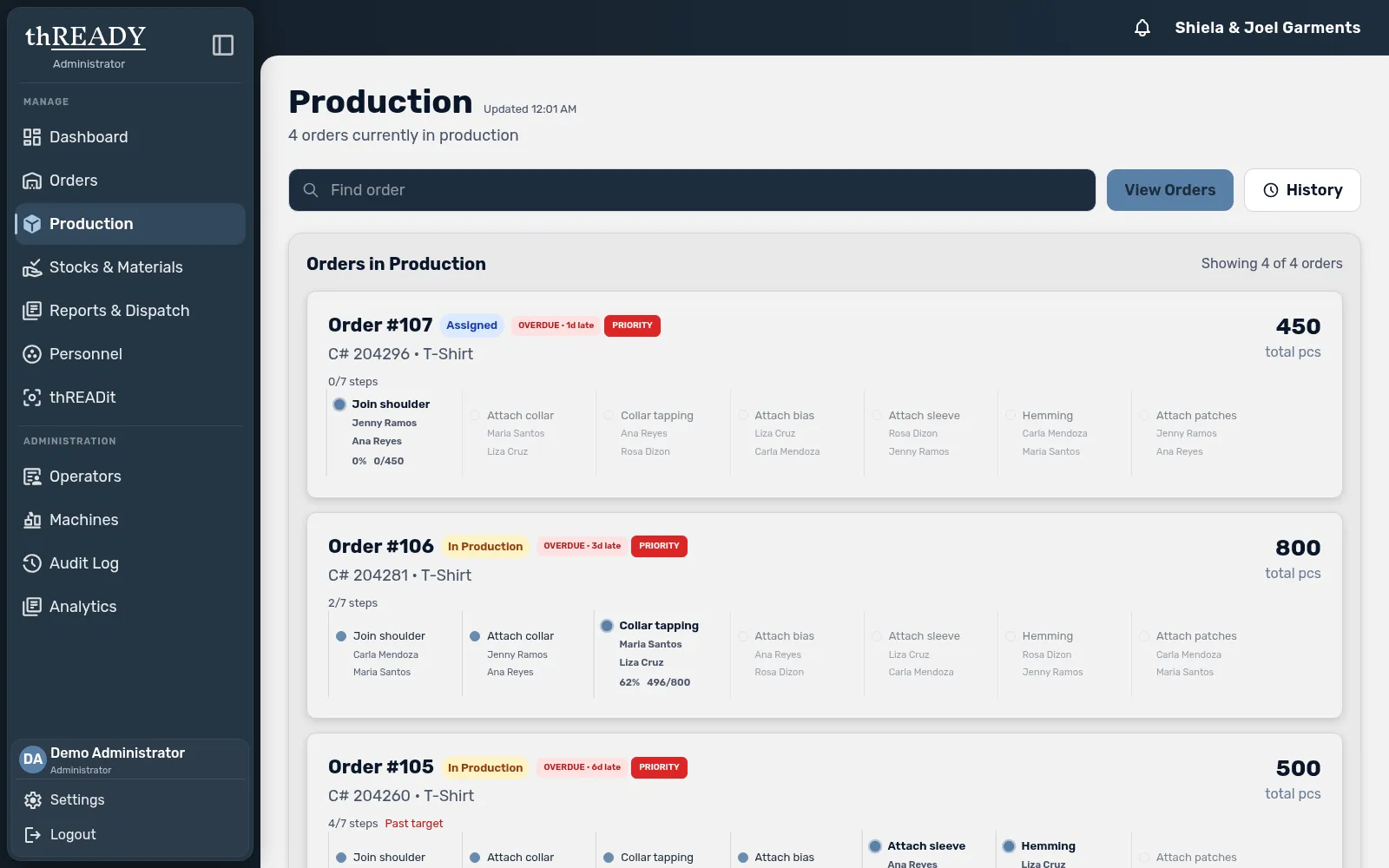
Live production view
Every order in production, step by step, with who is on each operation.
Machines & personnel
Operators and machines kept in one list and used when assigning work.
Audit log & backups
A record of who changed what, and database backups with a protected restore.
See thREADY in 81 seconds.
The whole journey, narrated: from the first receipt to the final dispatch.